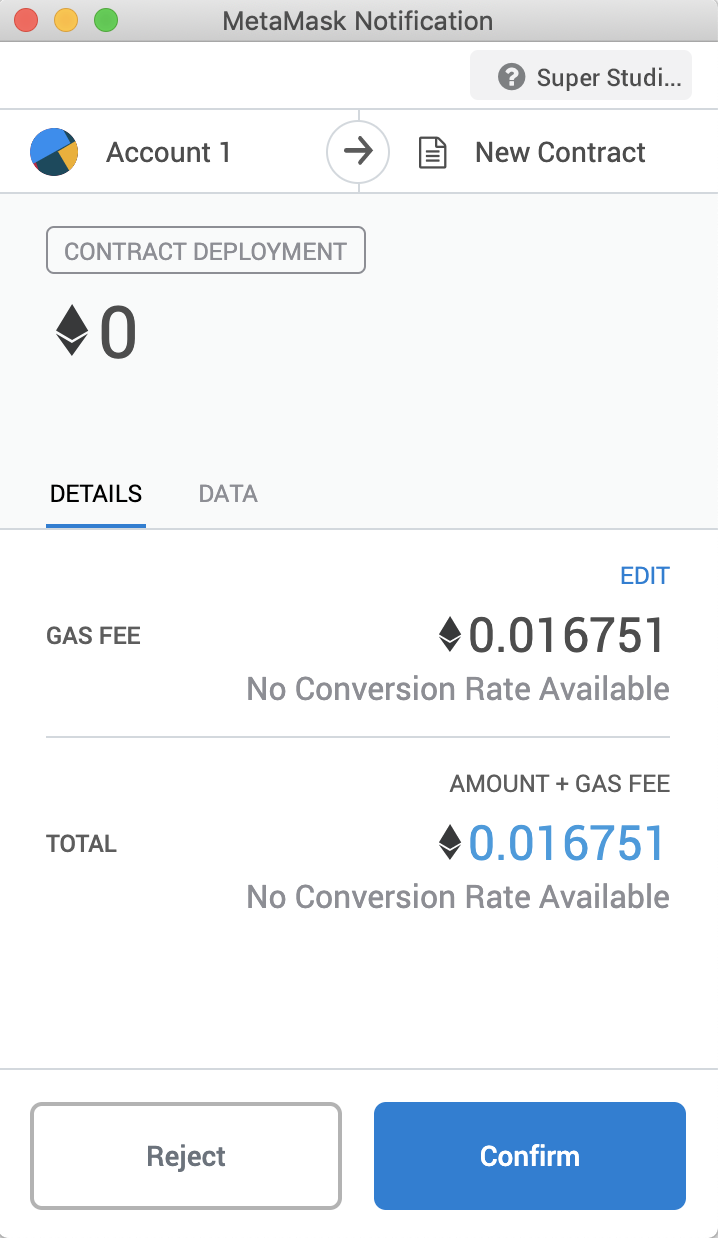
Issue Token
Compile and Deploy SSE20 Contract
- Open Remix IDE: https://remix.ethereum.org

- Select solidity language

-
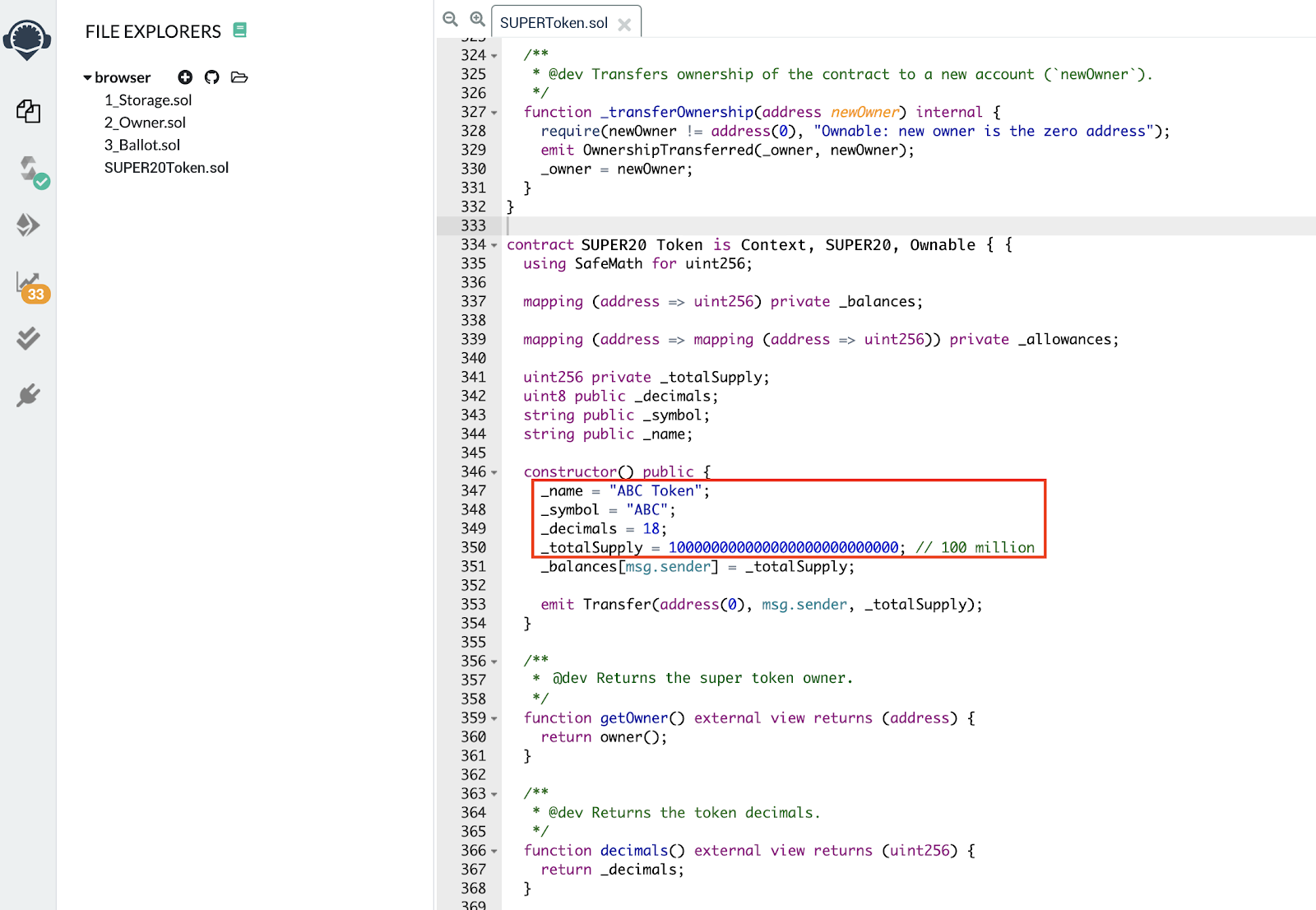
Create new contract SSE20Token.sol and copy contract code from the SSE20 token template here
-
Modify “name”, “symbol”, “decimals” and “totalSupply” according to your requirements.
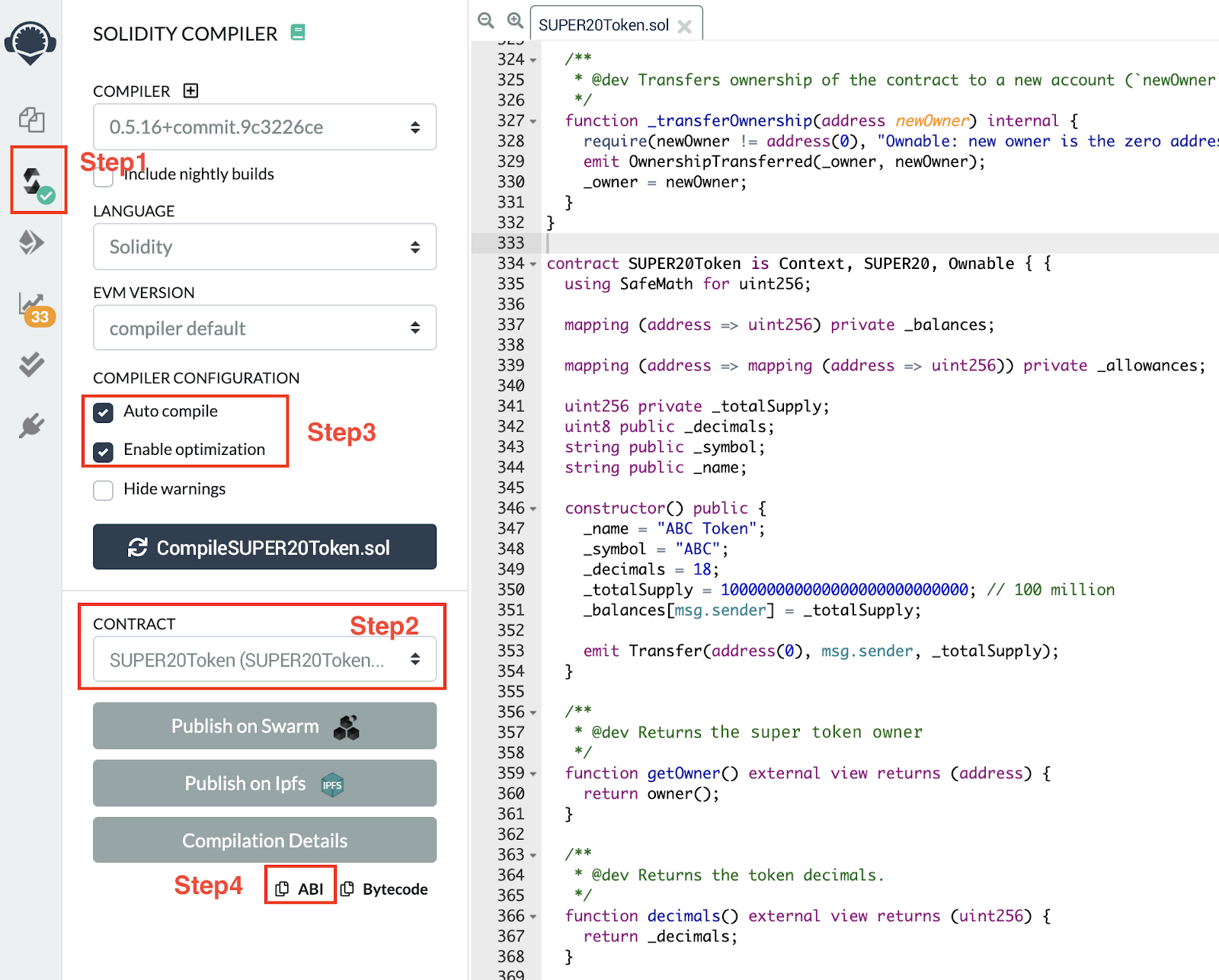
- Compile the SSE20 token contract
a. Step1: Click button to switch to compile page
b. Step2: Select “SSE20Token” contract
c. Step3: Enable “Auto compile” and “optimization”
d. Step4: Click “ABI” to copy the contract abi and save it.
- Depoy the contract to SUPER
a. Step1: Click button to switch to compile button.
b. Step2: Select “Injected Web3”
c. Step3: Select “SSE20Token”
d. Step4: Client “Deploy” button and Metamask will pop up

e. Client “confirm” button to sign and broadcast transaction to SUPER.